


Sometime ago I got an HTC Wildfire and was having loads of fun using it, but every time I wanted to do anything more "creative" i was stopped by the binded nature of phone, hence i decided to root it (jailbreak it apple fellas) and get complete control over my device. Here, I am covering step by step guide to root HTC wildfire 2.2.1 and install Android 2.3 on HTC Wildfire.
To do the rooting you must have your Wildfire with S-OFF, HBOOT 1.02.0002 and Android 2.2.1 . You can check it by booting into HBOOT (power on your phone by holding the VOLUME DOWN + POWER button) .This method is strictly for the 2.2.1 owners. How you can turn the S-OFF is your headache, you can try the alpharev (ask the team if they can get you a 2.0 test version... :P) or you can wait for Unrevoked 3.33 or you can straight off go to market and hunt for XTC clip. Either way, try it and don't attempt to anything before you get S-OFF. Actually the notorious S-ON flag is the cause rooting wildfire is such a pain in the a**.
I used to have this
I used to have this
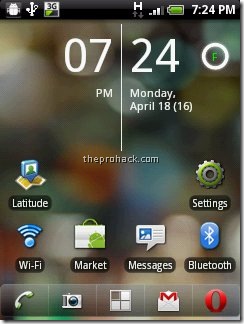
and I converted it into this :)

or this =)

Anyways, here is how you can root HTC wildfire 2.2.1 and get htc wildfire Android 2.3
What you need ?
- HTC wildfire with S-OFF , HBOOT 1.01.0002 , OS Froyo 2.2.1
- USB Drivers (Download)
- RUU Rom 2.1 / RUU_Buzz_HTC_WWE_1.14.405.2_R_Radio_13.45.55.24_3.35.15.31_release_130814_signed (Download)
- Unrevoked 3.2 Test version (Download)
- Cyanogenmod 7 (Download)
- Time and Patience & last but not the least,
- Balls of Steel
Disclaimer
I am not responsible if your phone gets bricked, by following the process you are voiding your warranty and significant damage may be caused to your device.
Its all for educational purposes only, if you are dumb enough to screw somewhere then I will be the one who will be laughing at you.
Software are unpredictable in nature, one may/may not act as predicted especially in case of rooting (personal experience). Hence my friend, tread carefully.
in short,
Its all for educational purposes only, if you are dumb enough to screw somewhere then I will be the one who will be laughing at you.
Software are unpredictable in nature, one may/may not act as predicted especially in case of rooting (personal experience). Hence my friend, tread carefully.
in short,
I AM NOT RESPONSIBLE FOR YOUR STUPIDITY.
Step 1 - Installing the USB drivers
Download USB drivers and extract them on desktop. Turn off your wildfire and boot into HBOOT by holding the VOLUME DOWN + POWER button. Connect your phone to your PC and it will show "drivers installing" or similar there for Android device. When prompted , install the drivers by going to device manager and browsing to the folder where you extracted the drivers. Once installed, disconnect and reboot your phone normally.
Now you need to install the Android bootloader interface. Connect it to your HTC wildfire to the PC and it will ask for drivers again, now go to device manager, click on unknown device,
click on update driver -> install from specific location -> No i will choose to install -> choose Android phone and click on adb interface -> click next -> when asked to install click on continue anyway, just install them.
Once done you will see your phone recognized as "Android bootloader interface". Now disconnect your phone and go into
settings -> applications - > development - > enable USB Debugging.
Congratulations, the first step is complete.
Step 2 - Downgrading from Android 2.2.1 Froyo to Android 2.1 Eclair
Download the RUU rom which is an original stock rom. Plug your phone into the PC and set it to "Charge through USB". Double click RUU rom .exe. Follow the on screen instructions and then let it install. Your phone will reboot into stock HTC 2.1 :) This will be the last time you will be seeing it though.

The HBOOT version will be now 0.80.0002 (check it by powering on your phone by holding the VOLUME DOWN + POWER button) Once done disconnect your phone.
Step 3 - Gaining root using UnrEVOked , get clockworkmod and set your phone free :)
Download the test version of unrevoked. Let me repeat, DO NOT USE UNREVOKED 3.32 as it will lead to CID errors or to be precise this error
"validation error backup cid is missing"
This may be caused as the 3.32 doesnot support HBOOT 0.82.0002. Hence You need specific test version of Unrevoked 3.2 to do the job. Download it, save it on desktop, and run it. Now connect your phone and the rooting will start. Once donw, you will have Clockworkmod recovery installed on your phone. Reboot your phone now (using the VOLUME UP/DOWN key for navigation and clicking using TRACKBALL, the POWER button takes you back in menus). Once rebooted, you will see the superuserapp in your phone and congratulations, your phone is successfully rooted :)
Step 4 - Installing Cyanogenmod 7 or Android Gingerbread 2.3.3
Download the Cyanogenmod 7 with google apps and save it on desktop, connect your phone as USB diskdrive and transfer both zip files on SD card. Once done, reboot your phone into ClockworkMod Recovery (booting by holding the VOLUME DOWN + POWER button and clicking on recovery)
Once the device boots into the ClockworkMod Recovery, use the side VOLUME buttons to move around, and either the POWER button or the TRACKBALL to select.
- Select the option to Wipe data/factory reset.
- Then select the option to Wipe cache partition.
- Select Install zip from sdcard.
- Select Choose zip from sdcard.
- choose update-cm-7.0.0-buzz-signed.zip & Let it install.
- Once done, Select Install zip from sdcard.
- Select Choose zip from sdcard, choose gapps-gb-20110307-signed.zip
- Once the installation has finished, to get back to the main menu by clicking the POWER button and select the Reboot system now option.
Congrats..The HTC Wildfire should now boot into CyanogenMod.


Enjoy Android 2.3.3 :)

.jpg)


